



Winbeatz Login
Winbeatz login is the page players use to enter an existing account, recover access, or finish setup after registration. We keep the flow short and clear on both desktop and mobile: email, password, and a direct password reset link when needed. Google sign-in is also available on the form for players who prefer a faster return.


Winbeatz Registration
Registration creates one account for the whole platform. That account stores your profile details, keeps your activity in one place, and gives you access to payments, bonuses, and support without starting from zero each time you come back. It also gives us a reliable way to help with account recovery and ownership checks when something goes wrong.
What registration gives you at Win Beatz:
- One saved profile for future sessions on desktop and mobile
- Access to account tools such as payments, profile settings, and support
- A clear way to track bonus status and active promotions
- Email-based account recovery if you forget your password
- A secure account record that supports verification and account ownership checks
How to Set Up Your Account
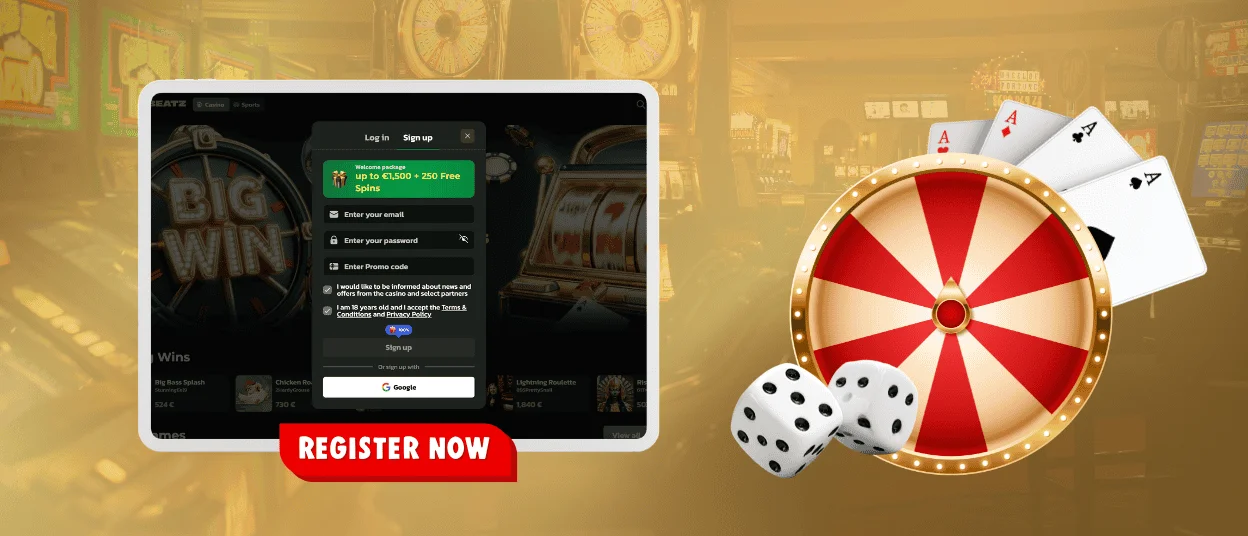
We keep registration at Winbeatz split into two short screens, so the form feels lighter, and the first step takes only a minute. You start with an email and password, and you can add a promo code at the same time if you have one. We also show the news and offers option there, along with the age confirmation and acceptance of the Terms & Conditions and Privacy Policy.
On the next screen, you add your name, date of birth, and phone number. Once that is saved, you can sign in. We ask for these details to keep the account protected and to make password resets easier later. Before you submit, a glance at the password through the visibility icon can save you from a small typo.
Winbeatz Login and Account Management
To sign in, you use the Log in tab with your email and password. Most login issues come down to small typing errors, so it often helps to enter the password manually instead of relying on a saved one.
We also offer Google sign-in for players who prefer a quicker return to the account. It works well for players who want a faster route back to the account, but the Google email should match the email linked to the Winbeatz account. If the addresses do not match, standard email login is the better option.
After login, the Win Beatz account area becomes the place for routine account tasks. We keep it focused on quick actions, because most players open it for a few minutes at a time and want to handle everything without moving through too many screens.
What you can manage inside your Winbeatz account:
- View your balance, recent activity, and bonus progress
- Open the cashier for deposits and withdrawals
- Update profile and contact details
- Check verification status and upload the requested documents
- Contact support for account-related issues
We keep these tools in one place, so players can handle routine account tasks quickly without jumping between sections.
Forgot Your Password?
If the password does not work, use the “Forgot password” option on the login page. It is easier than retrying the same password.
To reset it:
- Enter the email you used when you registered
- Open the reset email and choose a new password
- Sign in again with the new password
- Update the saved password in your browser so the old one does not keep filling in
If the reset email is missing, check Spam and Promotions first. Then make sure you entered the correct email address. If the message still does not arrive, contact support and tell us which email you used for the reset request.
Verification at Winbeatz Casino
We use verification to confirm the account owner and check that the profile details match the documents. We request it before withdrawals and during payment-related checks.
Verification goes much faster when the details in your profile match your documents from the start. Check your name and date of birth before uploading your ID. If something is different and you cannot change it in the profile, contact support first.
Photo quality causes significant delays in verification. If a photo is dark, blurry, or cropped, we usually ask for a new one. It also saves time when you upload all the requested documents at once.
Here is what we may ask for during verification at Win Beatz and why:
| Action | Purpose | What to submit or what happens |
| Upload identity document | Confirm account holder identity | Send a clear image of a passport, national ID card, or driver’s license with full edges visible |
| Upload address document | Confirm residential address | Provide a recent document that shows your name and address, such as a utility bill or bank statement |
| Complete selfie check | Compare face to ID | Take a clear selfie so the team can match your face to the identity document |
| Add payment method proof | Confirm payment ownership | Upload proof for the method you use, such as a card image with sensitive digits hidden or an e-wallet account screenshot |
| Submit verification request | Start review | Send the documents through the verification section in your account so the team receives a complete set |
| Review by verification team | Check document quality and matches | The team reviews the files and may approve them or request a clearer image or a missing page |
| Upload corrected file if requested | Finish the process | Replace the unclear or incomplete file and resubmit so the team can complete the review |
Verification usually feels much easier when players send a complete set of documents and make sure the account details match the files from the start. Most delays happen when something is missing or when the profile information does not match the document details.
FAQ
Can I log in without Google?
Yes. Google sign-in is optional. Your email and password work as usual.
I changed my password, but I still can’t log in. Why?
Browsers often keep the old password in auto-fill. Type the new password manually once, log in, and then save the new one in the browser.
I used the wrong email during registration. Can I change it later?
Yes, but keep the same account. Do not create a new one for that. Contact support and ask them to update the email on your current account.
Do I need to register again to play Win Beatz on mobile?
No. The same login details work on desktop and mobile.
Why is my withdrawal still on hold if I can already log in?
Login does not mean verification is finished. Withdrawals stay on hold until verification is complete. Check the verification status in your account to see whether we asked for another file or a clearer photo.


